

Sales invoices, credit memos, quotes
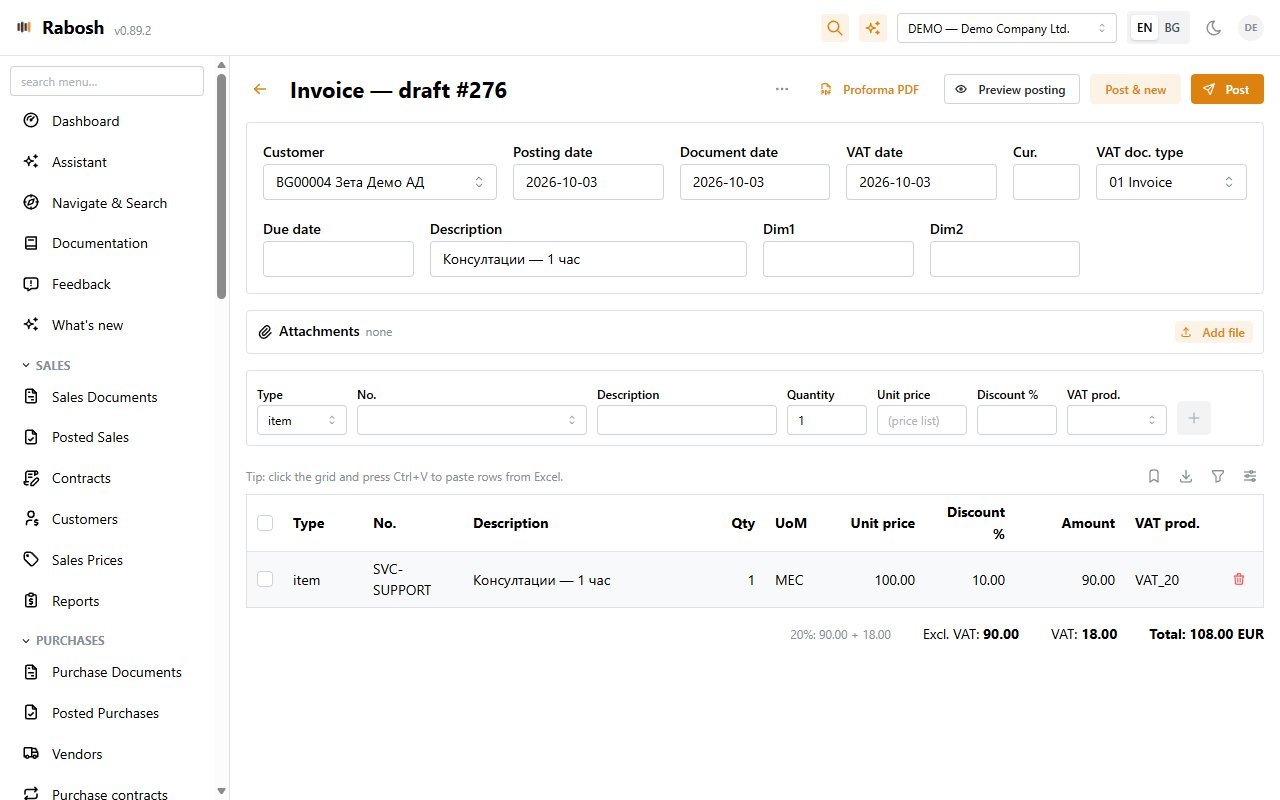
Bulgarian invoice PDF with every mandatory requisite, bank details and a "scan to pay" EPC QR code. Bilingual print for foreign customers, proformas, quotes that convert to invoices, copy from any document.
Accounting for Bulgarian companies, done properly
Rabosh is a small accounting web app built by people who spent years inside large ERP ledgers. Every document posts through one engine into a gapless, immutable ledger; the VAT files for the NRA come straight out of it, and Claude can work the books alongside you.
Opens a real, fully loaded company — no sign-up. It is a shared sandbox: everyone works in the same books, so never enter real data, and expect it to be reset.
Features
Bulgarian invoice PDF with every mandatory requisite, bank details and a "scan to pay" EPC QR code. Bilingual print for foreign customers, proformas, quotes that convert to invoices, copy from any document.
Drop a vendor's PDF and Claude reads it, matches the vendor by ЕИК or VAT number, picks G/L accounts from your chart and drafts the invoice for review. Reverse-charge purchases get their чл.117 protocol automatically.
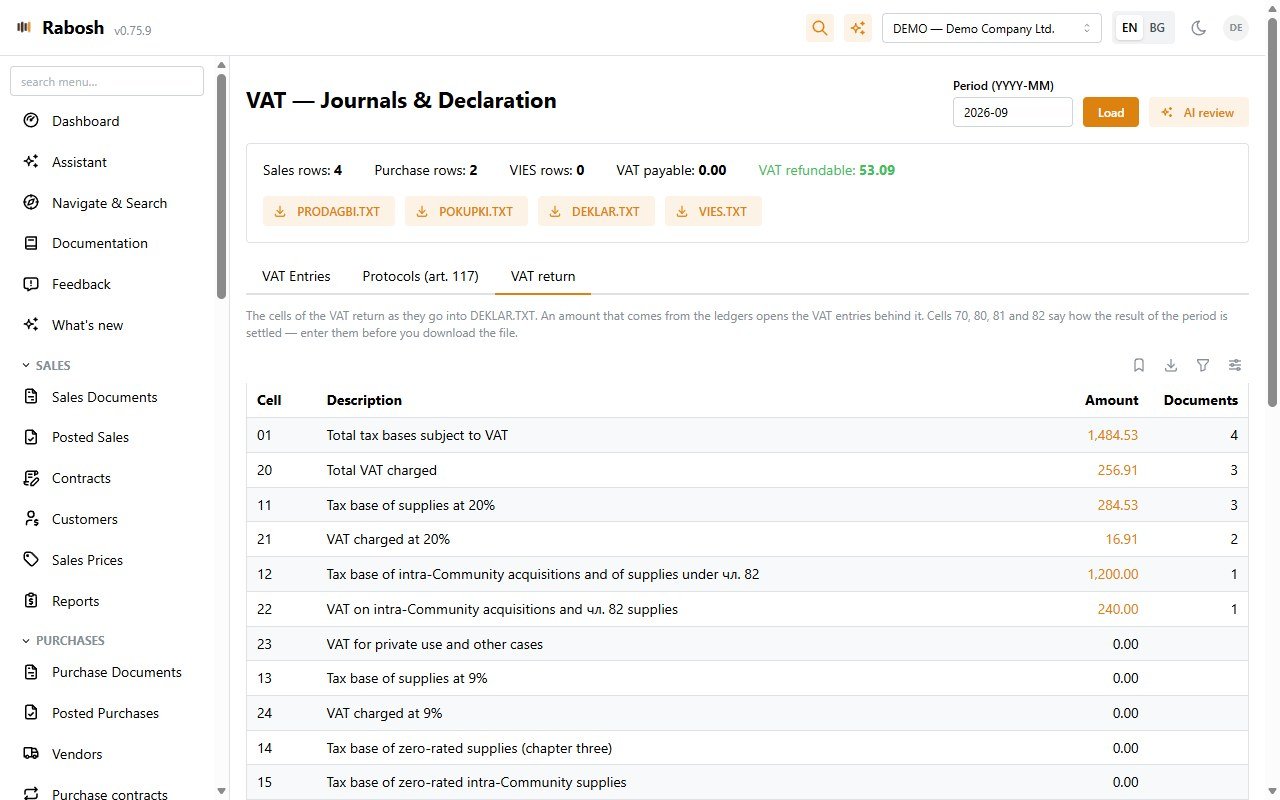
Sales and purchase ledgers, the VAT return and the VIES declaration exported in the NRA's own file formats. The VAT return is also on screen, every cell down to the settlement cells 70–82, each figure opening the documents behind it, and the чл.117 protocol prints as a PDF. VAT Journal for corrections, an AI pre-filing review, and a month locked once it is filed.
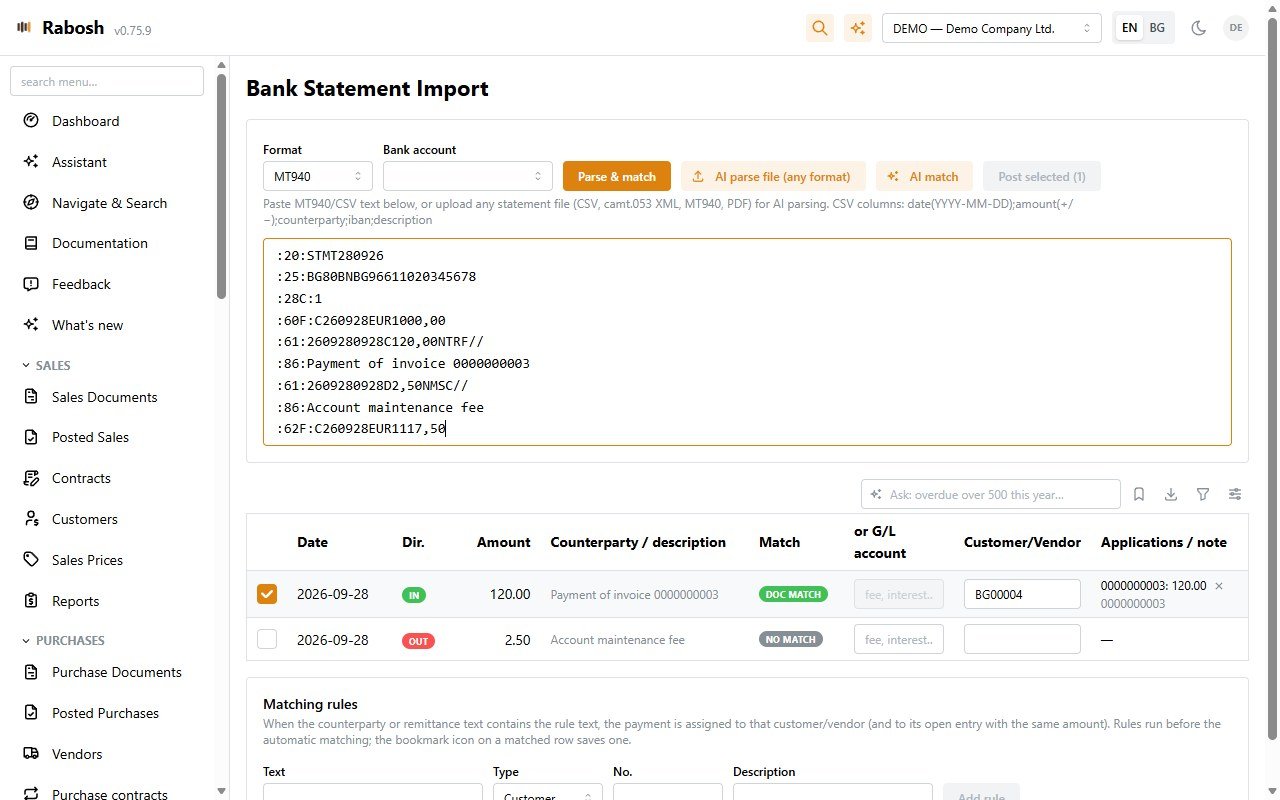
Receive and pay against open entries with realised FX gain or loss, apply credit memos and payments on account on their own screen, refund a customer or record a refund from a vendor. Import MT940, camt.053 or CSV statements with match suggestions — bank fees and own transfers go straight to the ledger — pay vendors with a SEPA pain.001 file and print ПКО/РКО from the cash desk, with a warning at the legal cash payment limit.
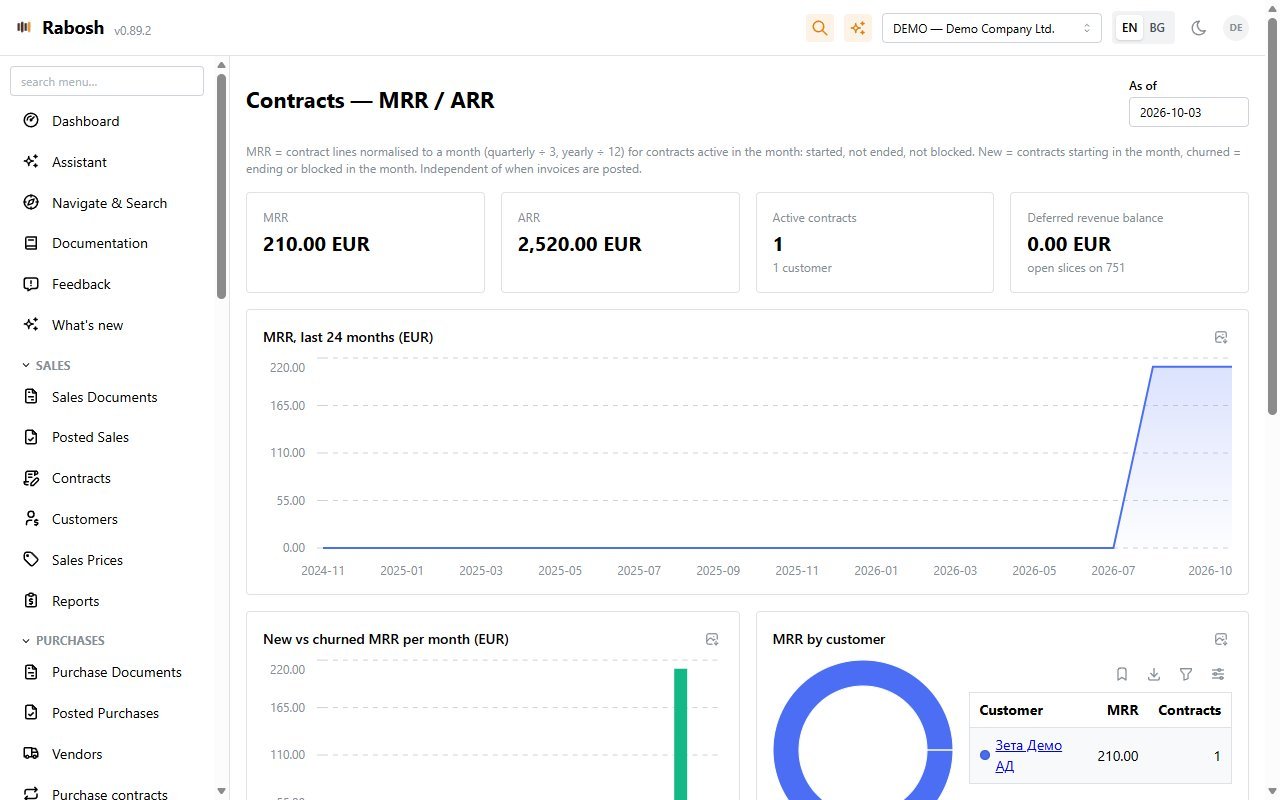
Licence and service contracts with lines billed monthly, quarterly or yearly: one click generates the period's draft invoices, catches up missed months, and feeds the MRR and cash-forecast analytics. Purchase contracts do the same for rent, subscriptions and leasing — one purchase draft per period, completed from the vendor's invoice.
Accounting depreciation by useful life and a tax book per ЗКПО чл.55 category with its maximum rates. Monthly runs are idempotent, disposals write off the remaining value, and the tax depreciation plan prints as a report.
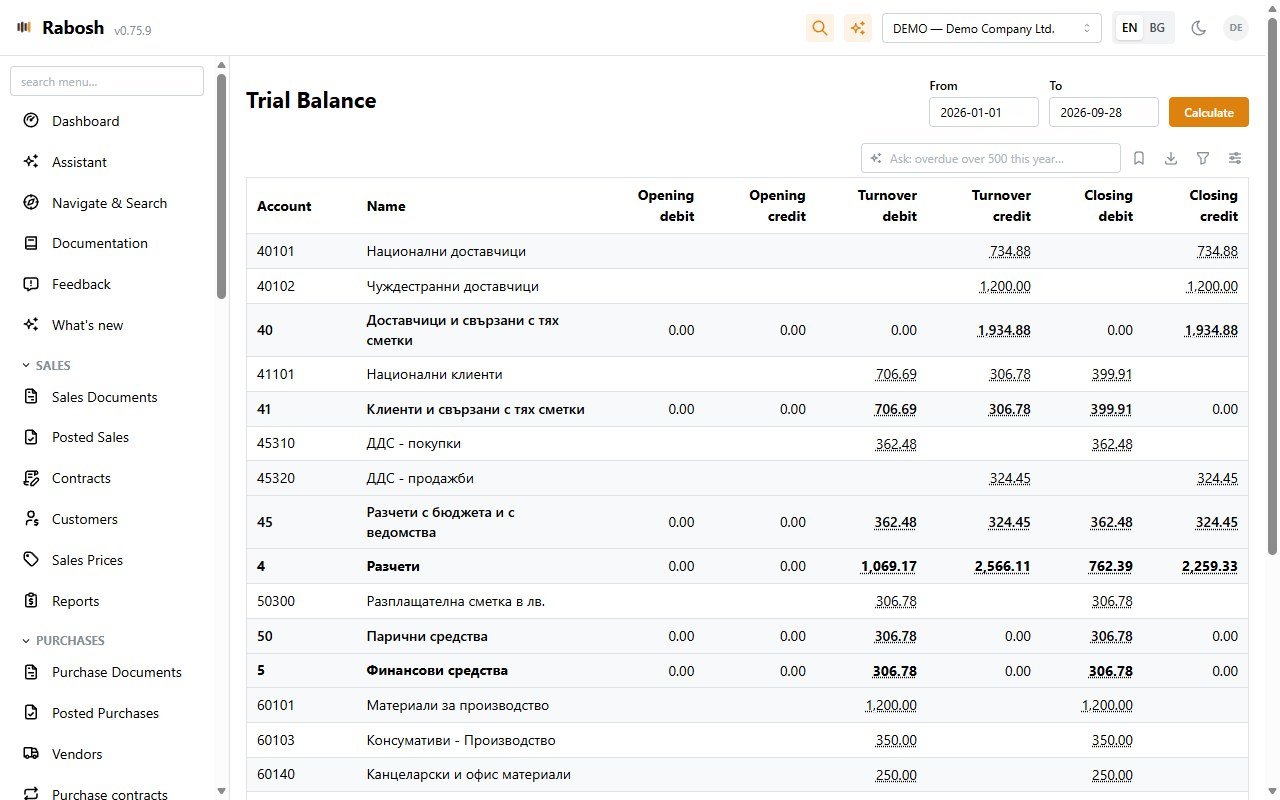
Trial balance, G/L detail, receivables and payables by due date, turnover, Balance Sheet and Income Statement with prior-year comparison, account schedules you define yourself, total accounts, dimension analysis, cash book. Every amount in the chart of accounts, the trial balance and the schedules opens the entries behind it. Everything exports to Excel, PDF or CSV, and reports can be e-mailed on a schedule.
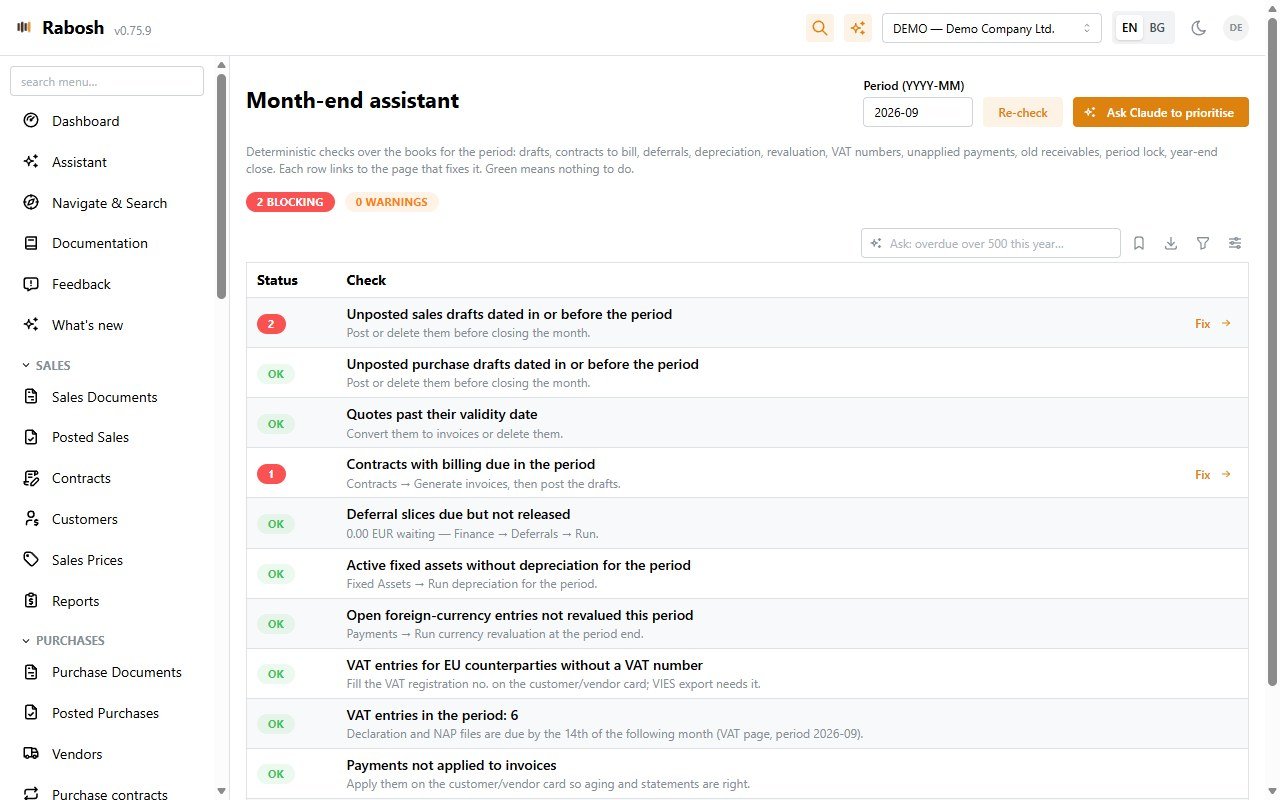
One page of deterministic checks before you close: unposted drafts, contracts due to bill, deferral slices, depreciation, revaluation, missing VAT numbers, unapplied payments, old receivables, period lock. Every row links to the page that fixes it; green means nothing to do.
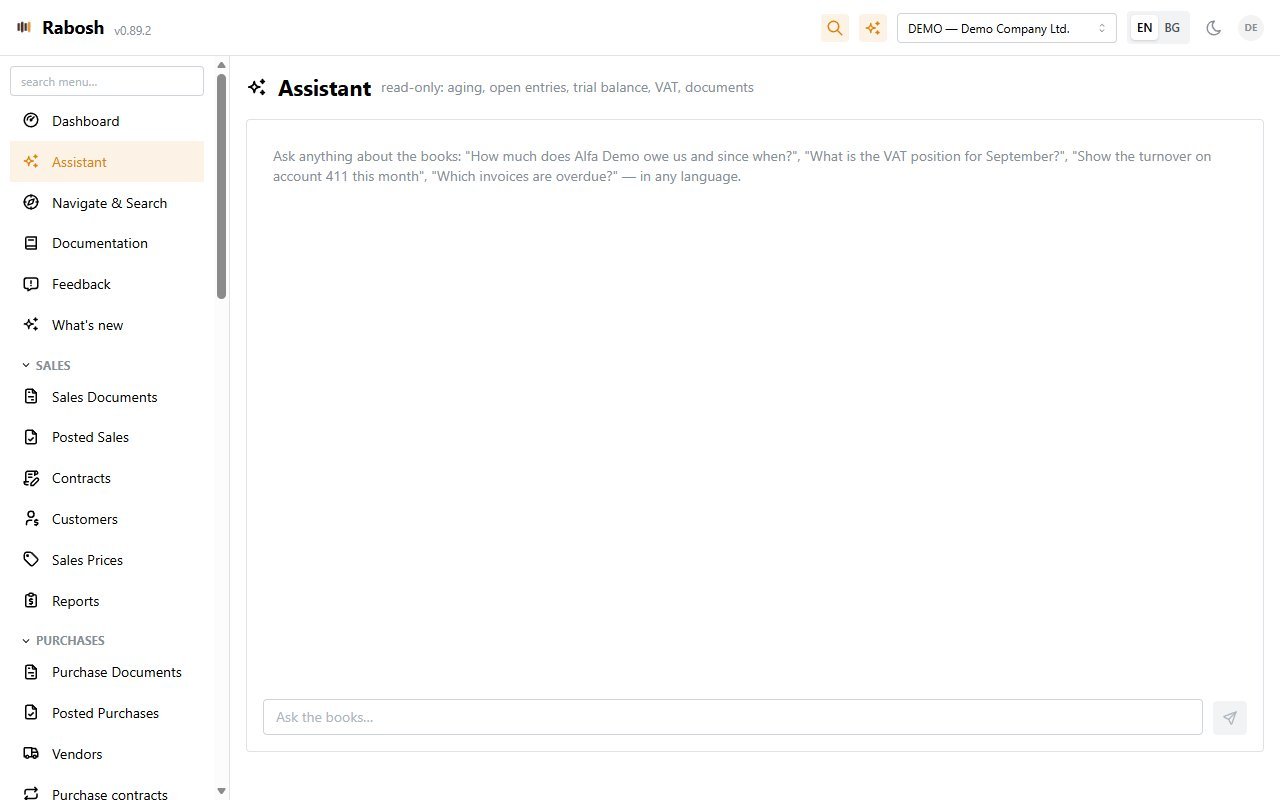
Ask the books a question, have a number explained, turn a sentence into a journal entry, filter any grid in plain language, get a dunning letter drafted or the VAT reviewed before filing. Connect Claude Desktop or Claude Code over MCP and work your ledger from there. Everything is proposed for your review, never posted behind your back.
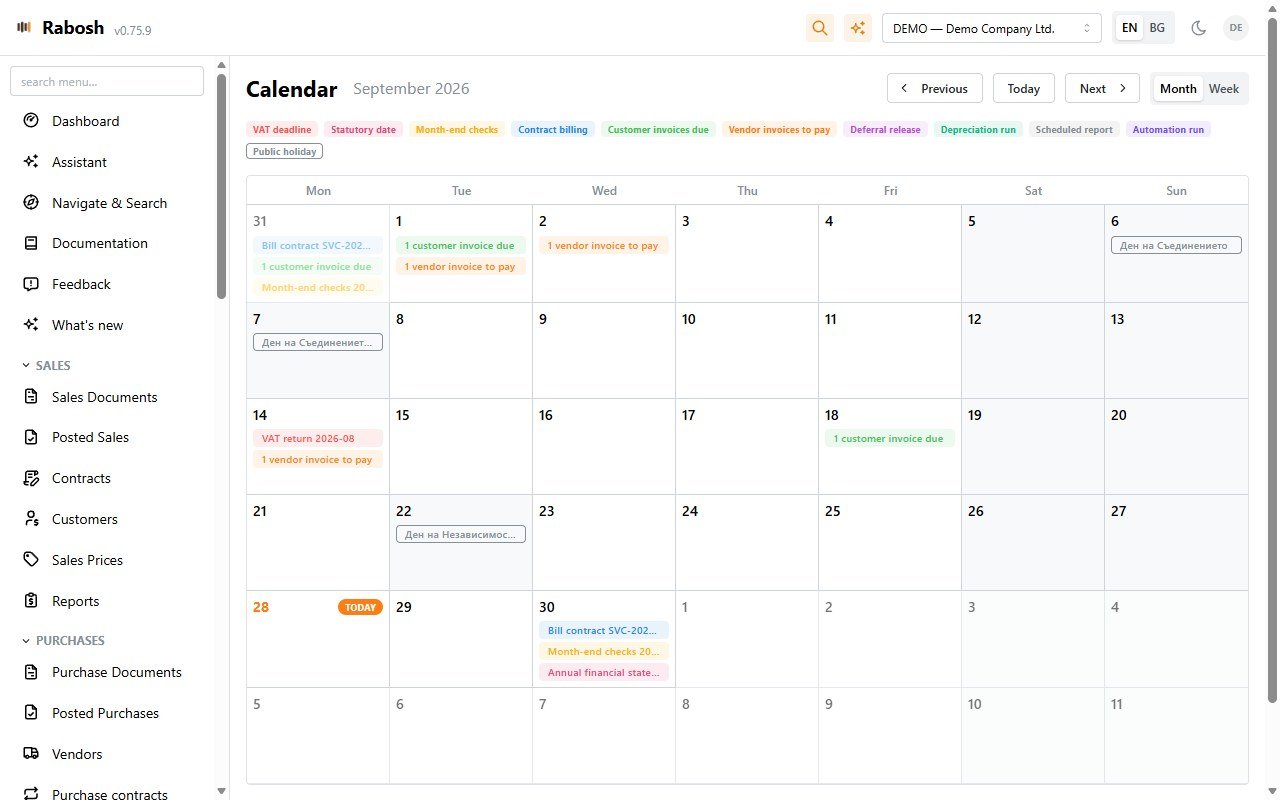
An accounting calendar of VAT deadlines, statutory dates, contract billing days, customer and vendor due dates, deferrals, depreciation and public holidays — a deadline on a weekend moves to the next working day. Automations e-mail your team a few days ahead and can prepare the month's contract invoices as drafts. Nothing is ever posted automatically.
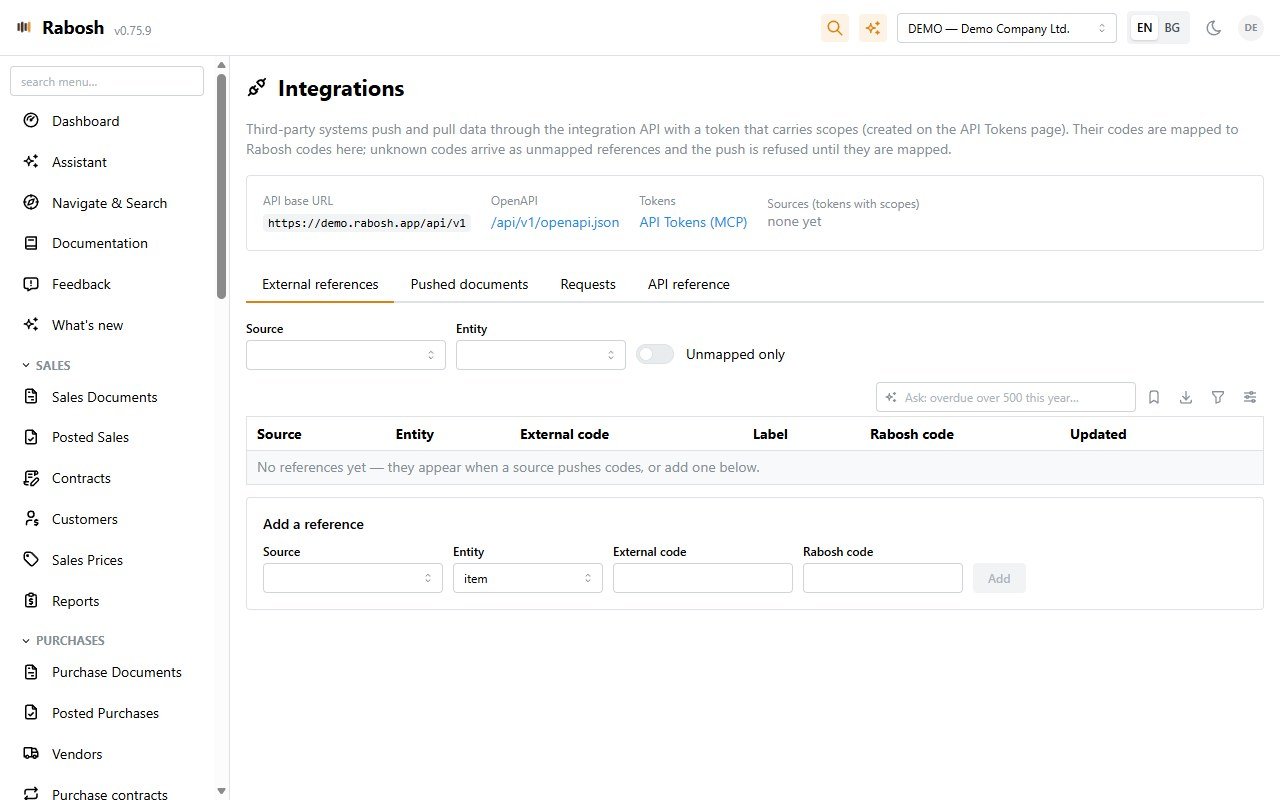
Scoped access tokens, an OpenAPI description and idempotent pushes: pull masters, push customers and items, create drafts, post documents and payments, or turn a day of POS sales into one sales report (чл.119 ЗДДС) with its receipts. Unknown codes land on a mapping screen instead of failing silently.
Every company runs on a localisation pack: Bulgaria with the national chart, 10-digit numbers, чл.117 protocols, cash orders and the NRA files; Cyprus with English documents, the quarterly VAT4 return and the monthly VIES statement as Tax For All XML files, call-off stock, the TIC and partial VAT recovery; a general pack for any other euro country. One installation holds companies of different packs side by side.
A firm cockpit lists every client company on one screen — the VAT period due next and whether it is filed, drafts waiting, unapplied payments, overdue amounts and the month-end checks — and one click opens the figure in that company. Each company starts with the menus it needs (Simple, Standard or Advanced), and every user keeps their own columns, saved views and favourites on any device.
Rabosh does not calculate salaries — it books them. Load the payroll sheet from any payroll program and the salary postings land in the journal: gross pay, the employee's and the employer's insurance and the income tax, ready to review and post. Bulgarian companies then get a monthly reminder for the payroll declarations.
See the exact ledger lines before you post, post and start the next document in one click, repeat the last invoice of a customer, start a purchase line with the account last used for that vendor, give line discounts, and e-mail or download a whole batch of posted invoices at once. The interface speaks Bulgarian with Bulgarian number and date formats, and works on a phone.
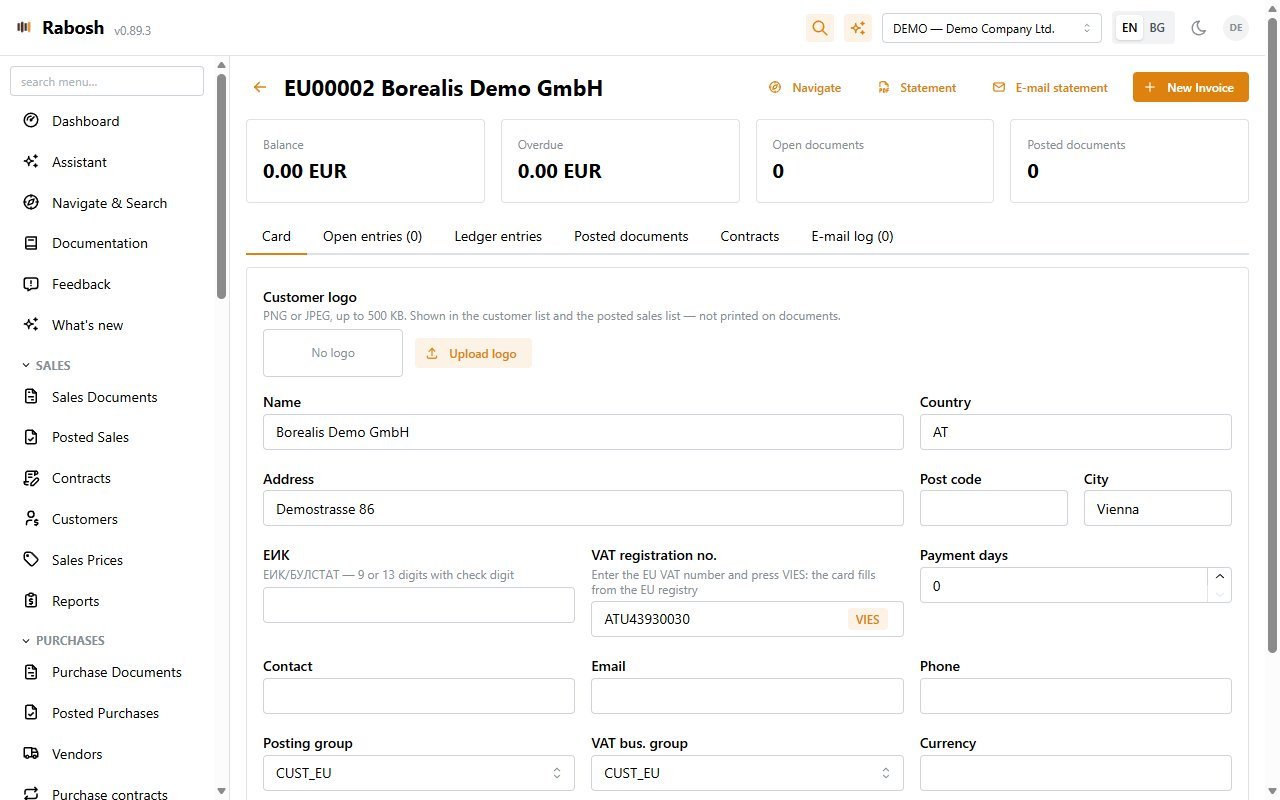
Upload the company logo and it appears in the header and on every printed invoice, credit memo, protocol and cash order. Give each company its own colour — a stripe across the top and a dot in every company list — so you always know whose books are open. Customers and vendors can carry their logos too, shown on their cards, in the document lists and on the contracts.
Every user picks their own theme — amber, ocean blue, indigo, slate, petrol or graphite — with light or dark mode, rounder or sharper corners and a larger text size for long days at the screen. Colours that carry meaning stay the same in every theme: red is always a warning, green always means done.
Something wrong, or an idea? Open Feedback, choose a problem or a wish, write as much as you like and paste screenshots straight in. The page you were on is attached for you. The team answers in the thread and by e-mail, and you follow every report from open to closed.
Modules
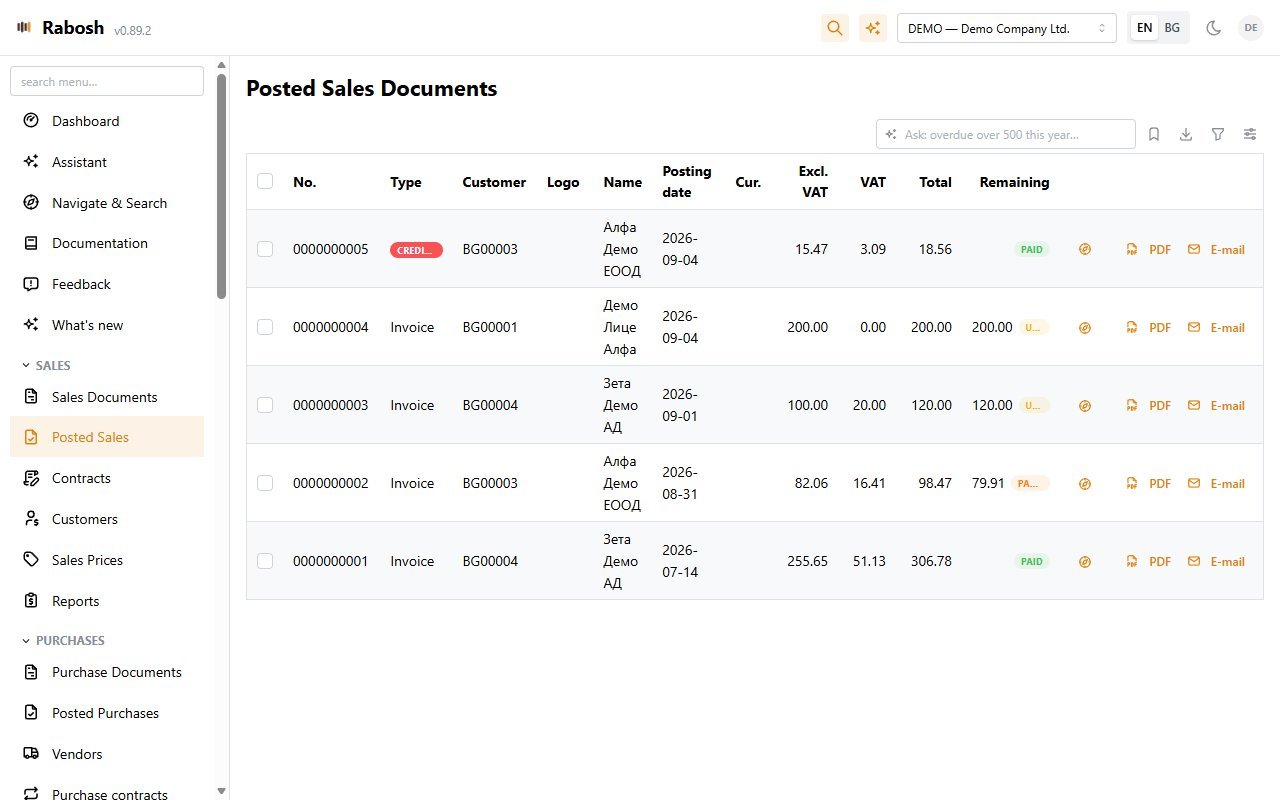
Sales documents and posted sales, quotes and proformas, contracts with recurring billing, customer cards with open entries, ledger and e-mail history, sales prices per customer and currency, statements and payment reminders by e-mail.
Purchase invoices and credit memos with the vendor's document number carried to the VAT ledger, duplicate checks, AI import from PDF, automatic чл.117 protocols for EU services and acquisitions, purchase contracts for recurring vendor invoices, vendor cards that fill themselves from VIES, ЕИК checks, purchase prices.
General journal with recurring and reversing batches and payroll import, red storno of any register, payments, refunds and application, bank statement import with your own matching rules and AI matching, SEPA vendor payments, cash desk, chart of accounts with live balances and total accounts, G/L entries and registers, trial balance, VAT and VAT Journal, deferrals, the accounting calendar, the month-end assistant and year-end close.
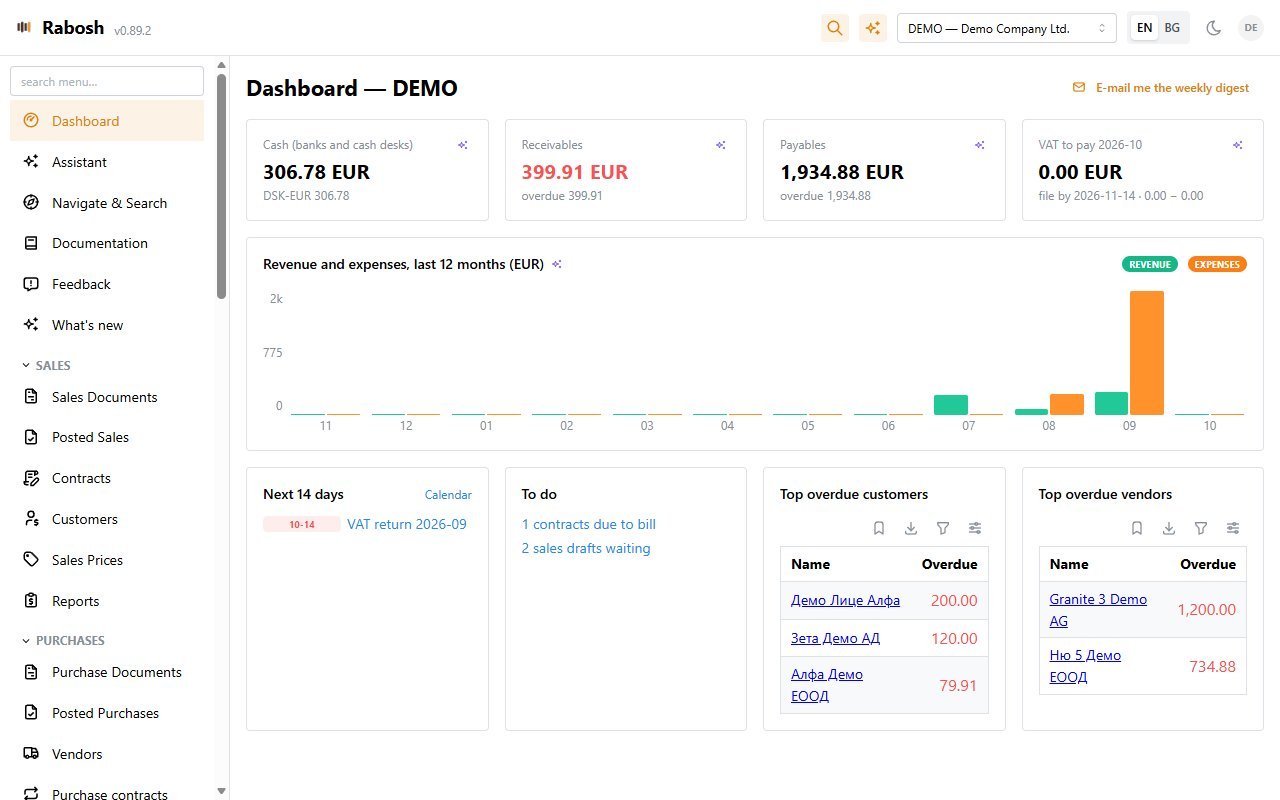
A dashboard of cash, receivables, payables, revenue versus expense and the VAT position with its deadline. Contract MRR and ARR with churn, a 13-week cash forecast from open entries and contract billings, sales and purchase analytics, account schedules, and a full company export to Excel or CSV for pivots and Power BI.
Items with units of measure and quantity tracking through item ledger entries, item journals for adjustments, item turnover reports — and, when you switch it on, weighted-average costing: purchases go to inventory, sales post cost of goods sold at the running average, negative stock is blocked, and an inventory valuation report reconciles to the ledger. Fixed assets with accounting and tax books, monthly depreciation runs, disposals and the ЗКПО depreciation plan.
Several companies under one login with Admin, Accountant and Viewer roles per company, each created by a wizard that picks its localisation, identity, costing option and starting data — blank, the built-in sample or your own Excel workbook. General setup with company requisites and posting periods, posting groups and VAT posting setup built for the Bulgarian rules, gapless number series, four global dimensions, currencies with daily BNB or ECB rates, mapped CSV imports for every master table, a change log on master data, and API tokens for MCP and the integration API, automations and scheduled reports.
An in-app assistant that answers from your live ledger, AI import of purchase invoices and contracts from PDF, bank statement parsing for any format, dunning letters in Bulgarian, a VAT pre-filing review — and an MCP server so Claude Desktop, Claude Code and claude.ai can read and draft in Rabosh directly.
How it works
A five-step wizard creates the company: pick the localisation (Bulgaria, Cyprus or general), enter the requisites printed on documents, choose whether to cost inventory, and start blank, with the built-in sample company or with your own Excel workbook. Chart of accounts, VAT setup and number series come with the pack, so you can post the same day.
Import customers, vendors, items, prices and the chart of accounts from CSV or a template workbook — one sheet per table, in the same layout the company export produces — and load the open invoices of customers and vendors as opening entries in one step. Rename or merge codes later — references follow automatically.
Documents stay editable as drafts, and a preview shows the exact ledger lines before you post. Posting is one transaction: gapless number, G/L, VAT and ledger entries together — or nothing at all. Corrections are credit memos and red storno, never edits.
Let the calendar and its reminders keep the deadlines, run the month-end checks, export the VAT files for the NRA, send invoices and statements by e-mail, and read the trial balance, statements and dashboard — or ask Claude.
Screens
Built ledger-first
Rabosh borrows the discipline of the big ERP ledgers without their weight. The ledger is the single source of truth, money is never a floating-point number, and nothing that has been posted can be changed — only reversed, visibly.
FAQ
A complete company you can open without signing up: Bulgarian chart of accounts, customers, vendors, items and posted documents already in it. You are signed in automatically as an accountant, so you can raise invoices, post them, run the reports and use the assistant. It is one shared sandbox — everybody works in the same books and it can be reset at any time, so never put real company data in it. Creating users and companies is turned off there.
Bulgaria first, but not only. Every company runs on a localisation pack: Bulgaria (national chart of accounts, the NRA's VAT files, чл.117 protocols, ЗКПО tax depreciation, invoices printed in Bulgarian), Cyprus (English chart and documents, the quarterly VAT4 return and the VIES statement as Tax For All XML files, TIC, partial VAT recovery, ECB rates) or a general pack for other euro countries. The interface is in English or Bulgarian, the ledger currency is EUR, and foreign currencies are carried on every entry at the BNB or ECB rate.
Yes. Customers, vendors, items, prices, the chart of accounts, dimension values and opening balances all import from CSV, and open customer and vendor entries can be loaded as opening entries. Every master table has a header-driven importer.
No, and that is on purpose. A posted document is immutable. You correct it with a credit memo that references the original, or reverse a whole register with red storno — negative amounts on the same side, so the audit trail stays honest.
Two ways. Inside the app, an assistant answers questions from your ledger and AI features read PDFs, match bank rows and review VAT before filing. Outside it, Rabosh is an MCP server: connect Claude Desktop, Claude Code or claude.ai with a token or OAuth and Claude can look up partners, create drafts and post documents with your approval.
Yes, through the integration API: create a token with only the scopes that system needs, map its codes to your customers, items and accounts once, and let it pull masters, push documents and payments, or post a day of sales as one sales report. Every push carries an external id, so a retry never creates a duplicate; the OpenAPI description and the request log live in Setup → Integrations.
Their own login with the Accountant or Viewer role on your company, every report on screen or as Excel, PDF and CSV, an Excel data pack with all entries and masters for the period, and the NRA files ready to submit. An accountant who keeps several client companies sees all of them on one screen in the firm cockpit.
Rabosh is offered per company. Try the shared demo first, then write to us with the size of your company and how you invoice, and we will send a quote and set up a sandbox with your own chart of accounts.
Tell us about your company and how you invoice, and we'll set up a demo company for you.
Want your own sandbox with your chart of accounts instead of the shared one? Write to us.